
Reproduce the bug
Point your app, phone or emulator at Charlotte. It decrypts the HTTPS and keeps the whole session.
HTTPS debugging proxy · MCP server
Charlotte captures the HTTPS your app actually sent, then hands it to your coding agent over MCP. Claude, OpenAI Codex, GitHub Copilot, Cursor and other MCP clients can search a whole session, open any request and response, replay it, and change the traffic — without you pasting a single header into a chat window.
Loopback only · Role-scoped tokens · Write tools off by default · No cloud inference
The request fails. You copy the cURL out of devtools, paste it into a chat window, and the model reasons about your description of the request — which is exactly the thing that is wrong, most of the time.
Point your app, phone or emulator at Charlotte. It decrypts the HTTPS and keeps the whole session.
“The login call is coming back 401 — look at what Charlotte actually captured and tell me what's wrong.”
It calls search_flows for status:401, opens the flow, and finds the header you got wrong.
list_flows · get_flow — page through captures, open any request in fullsearch_flows — status:>=400, host:*.stripe.com, body:"token"stats · audit_session — totals, hosts, and a security audit as Markdownvalidate_openapi — which captured calls break your OpenAPI contract, and exactly where (macOS)replay_flow — re-send a captured request, with or without changescreate_rewrite · create_map_local — change headers, bodies, or serve from diskset_breakpoint — pause matching traffic so it can be edited in flight127.0.0.1 and is never exposed to the network. Charlotte has no
backend, no account and no telemetry — there is no server to send your traffic to.
Charlotte is available for Windows and macOS, with native interfaces, the same request-centric workflow, and interchangeable session files.
macOS
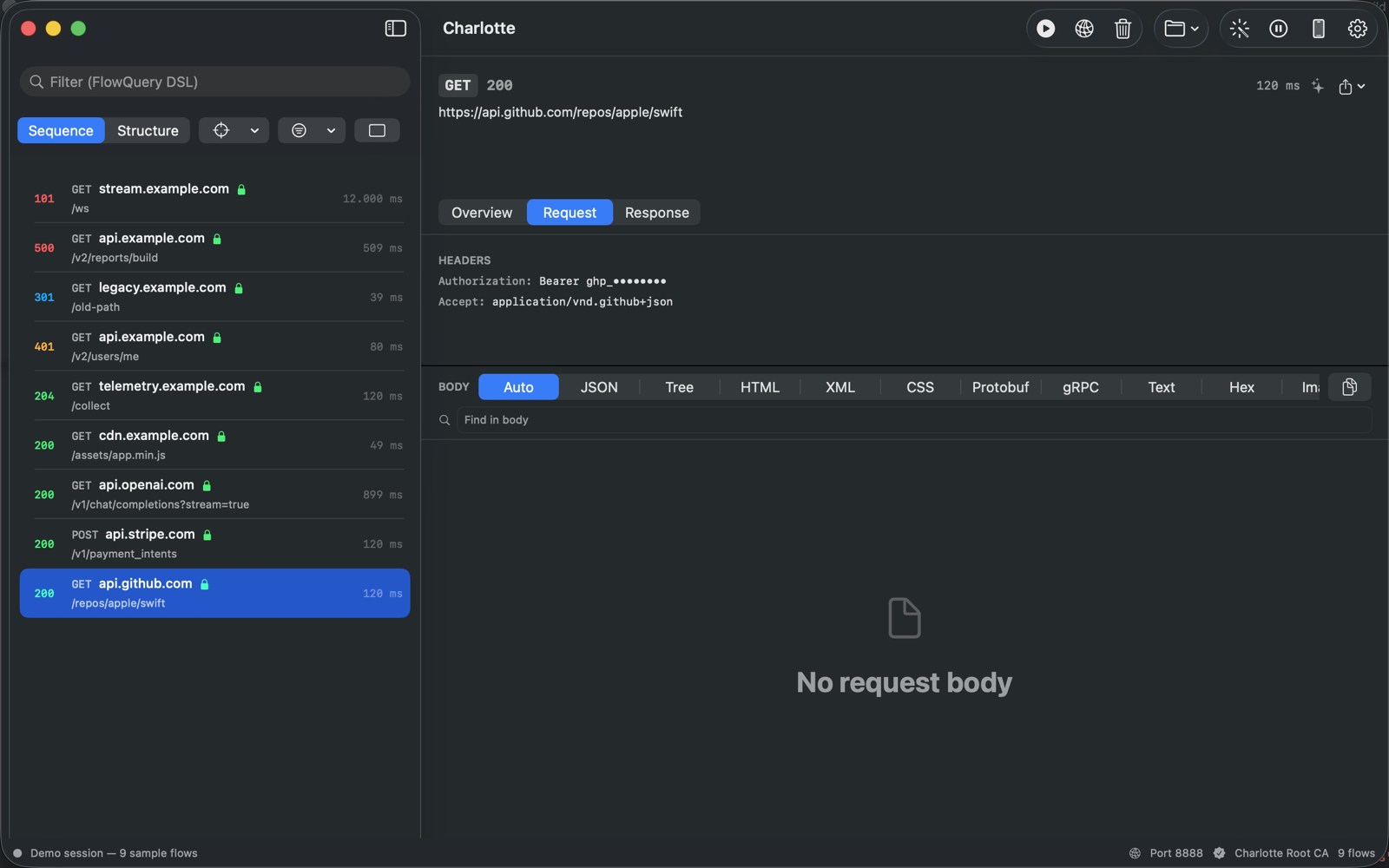
Inspect macOS traffic, review request bodies, and work through device and simulator sessions without leaving the app.
.proto files (proto2, proto3, Editions 2023–2026) or load them by reflection over TLS and mTLSWindows
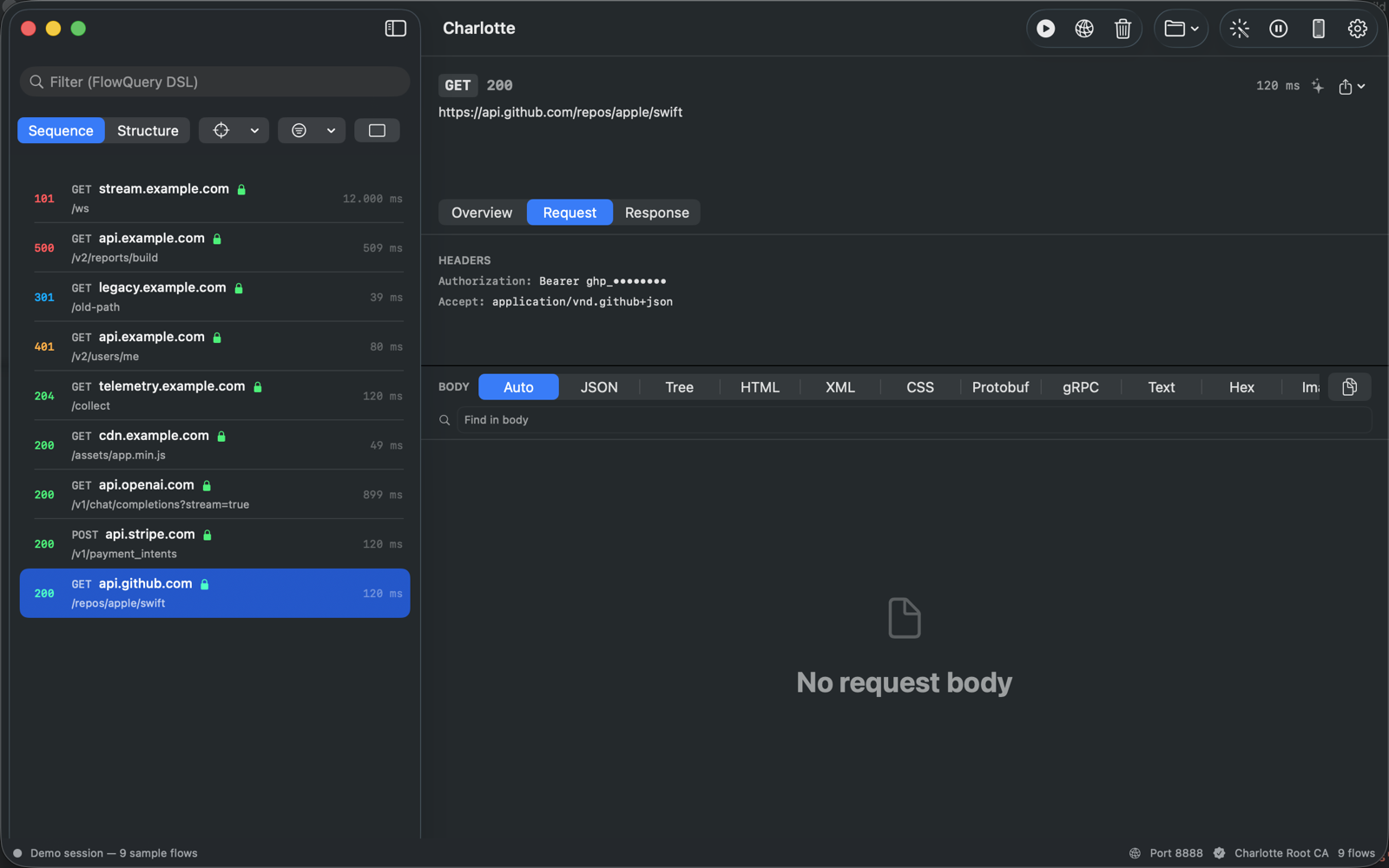
Use Charlotte to watch requests from Windows desktop apps, reproduce flaky network conditions, and verify releases before they ship.
charlotte command on your PATH for headless capture and CI checksA focused desktop toolset for developers and QA teams — no Electron, no cloud round-trips.
Terminate TLS as a proxy with a root CA Charlotte generates (or one you import). Read HTTP/1.1, HTTP/2 per-stream, and WebSocket frames.
Auto, JSON, Tree, HTML, XML, Protobuf, gRPC, Text, Hex and image views, with gzip, deflate, brotli and zstd decoding, so you always see the real payload.
See gRPC calls with real field names, final status and trailers. On macOS, Charlotte compiles your .proto files itself — proto2, proto3 and Protobuf Editions 2023, 2024 and 2026 — or fetches the schema from the server by reflection over TLS or mutual TLS.
Attach an OpenAPI 3.0 or 3.1 description and every captured request and response is checked: parameters, authentication, bodies, status codes and headers. A Contract tab shows each violation and where it is; filter with openapi:fail.
Native sessions, HAR 1.2 and copy-as-cURL. Run headless, export the live capture, and check saved sessions in CI: fail on leaked secrets, deprecated calls, latency limits or contract violations, with text, JSON or JUnit reports.
Publish rules, saved filters and collections to a shared folder or Git checkout and pull them on another machine. Local credentials and file paths are left out.
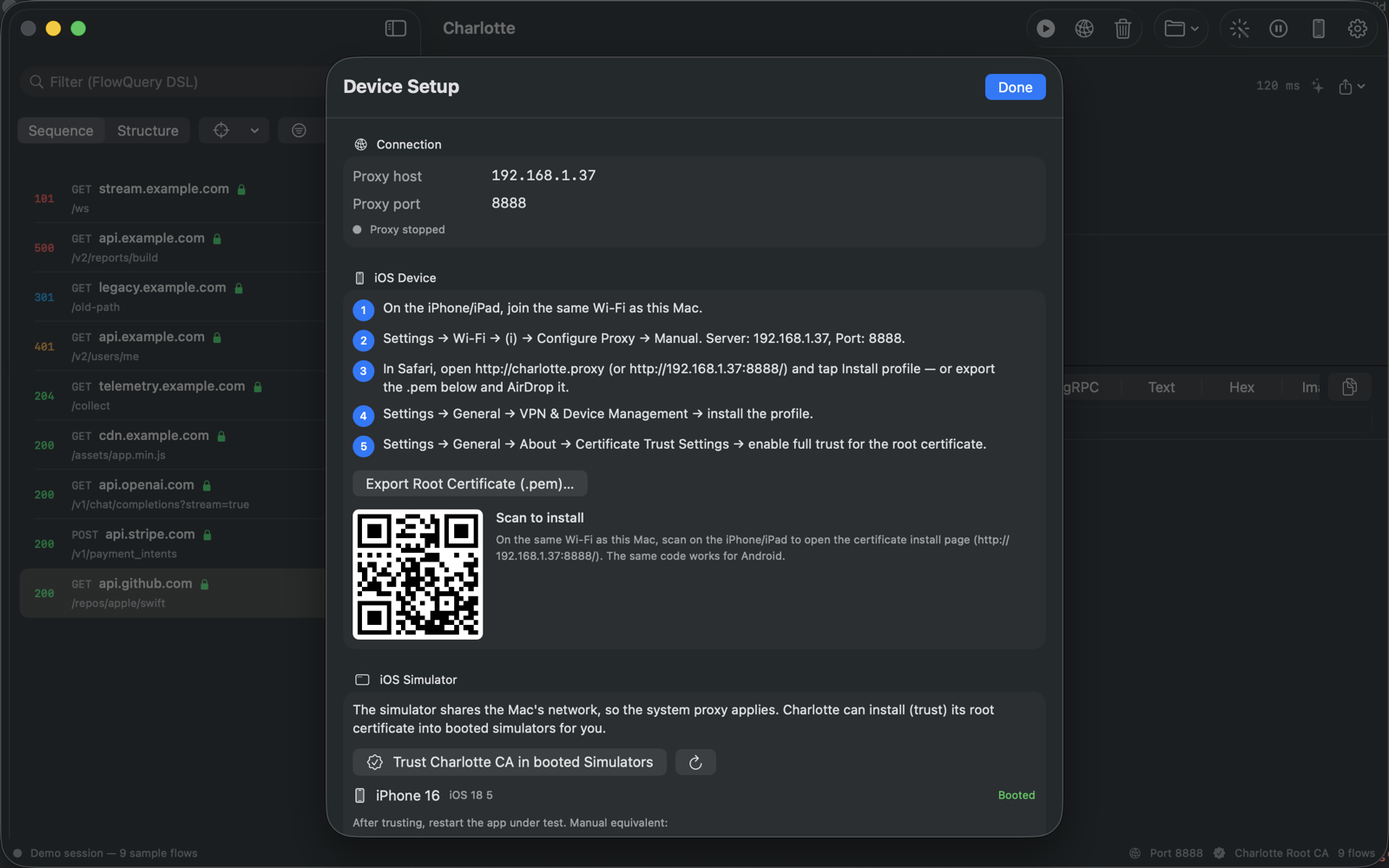
A step-by-step Setup Guide for your computer, the iOS Simulator, Android emulators and real phones — with certificate export, a QR code for physical devices, and a check that traffic really reaches Charlotte.
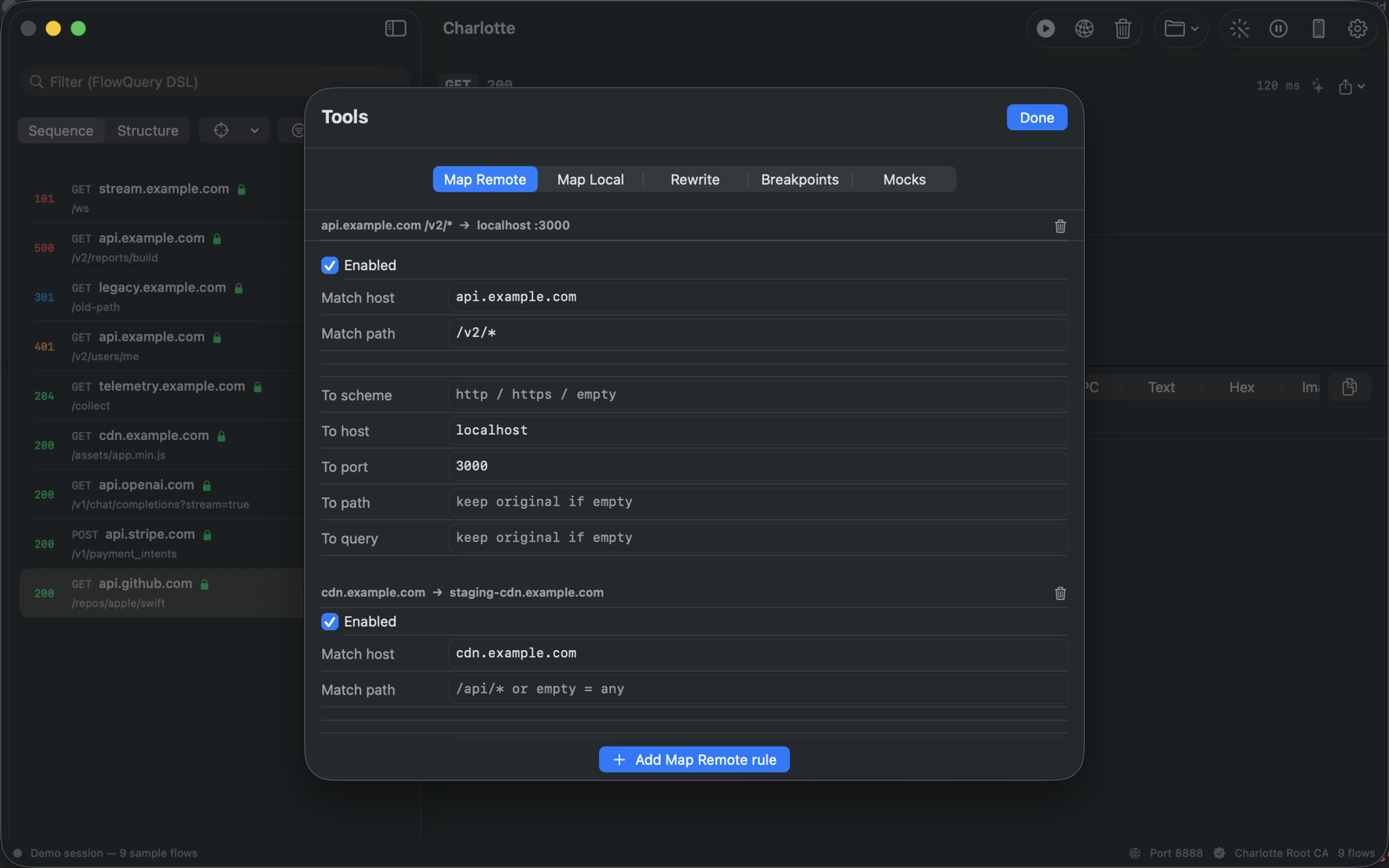
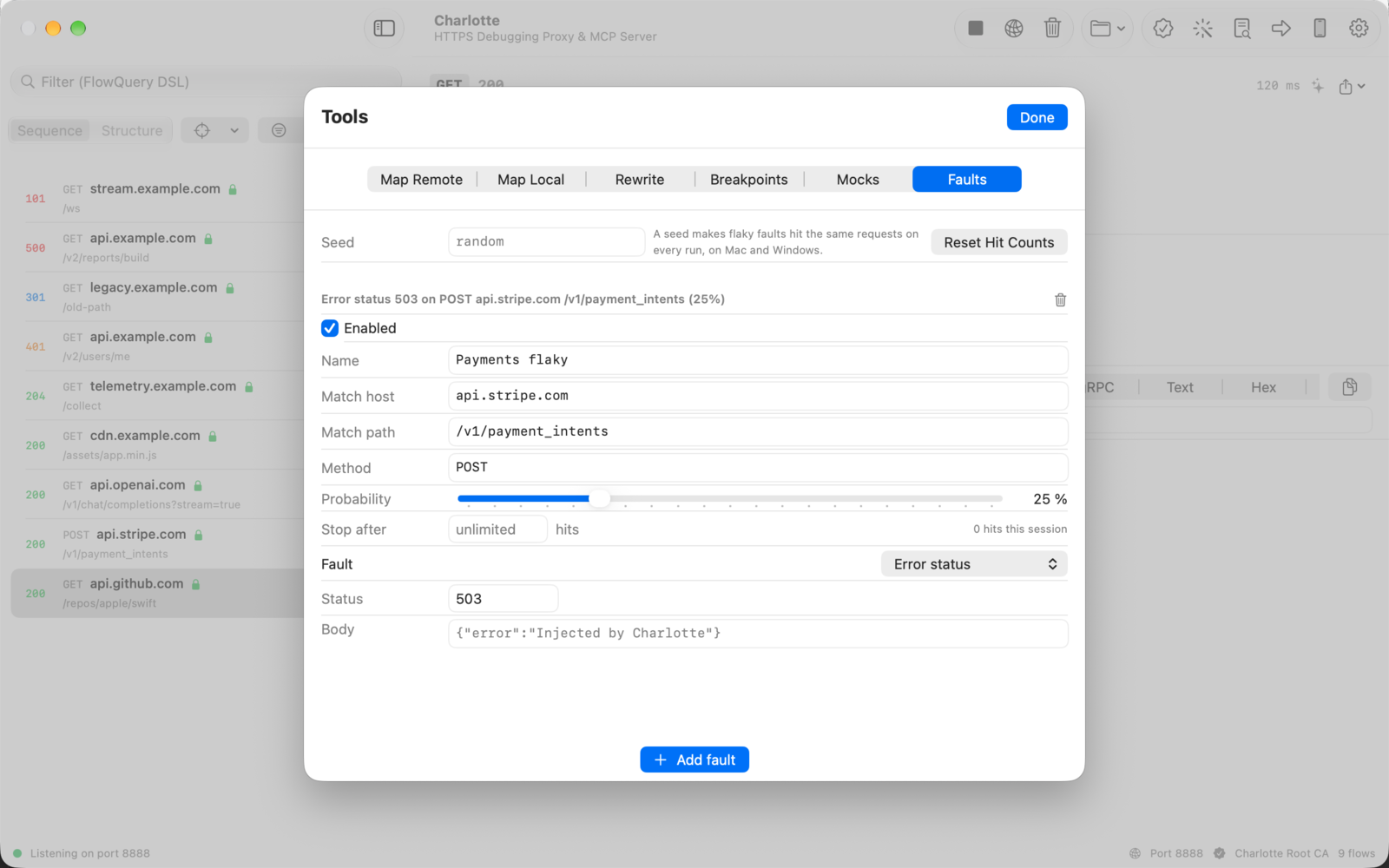
Map Remote, Map Local, and Rewrite rules. Set breakpoints to pause and edit live requests and responses.
Add latency, cap bandwidth, and randomly drop connections to test how your app behaves on flaky networks.
Explain a flow and flag anomalies or security issues with Apple's Foundation Models. Traffic never leaves your Mac.
Expose captured traffic to Claude, Codex, Copilot, Cursor and other MCP clients over a local, loopback-only endpoint, gated by an access token you hand out yourself. How it works →
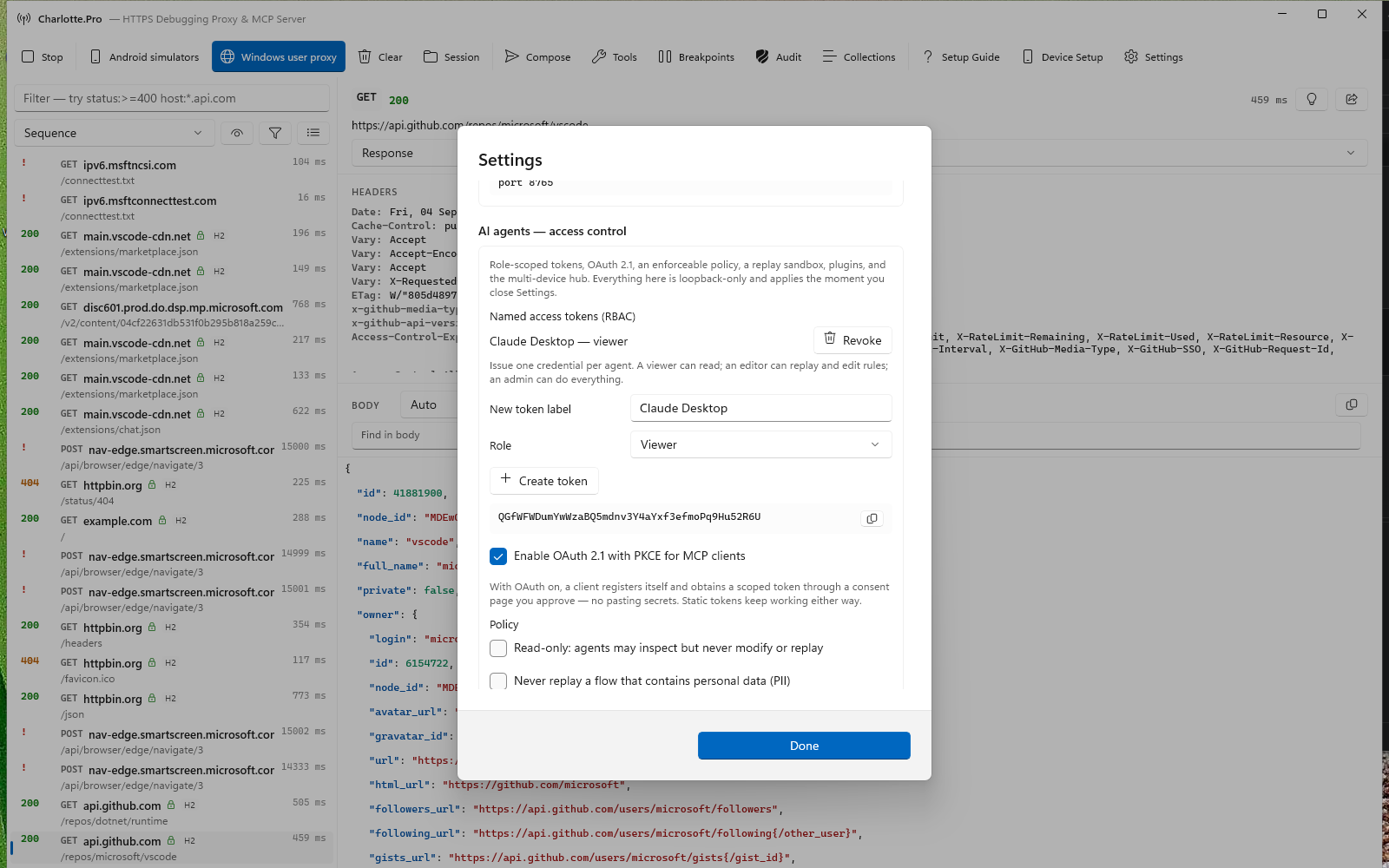
Give each agent its own token with a role — Viewer, Editor, or Admin — or let it sign in with OAuth 2.1 and PKCE. Add a policy to keep agents read-only or block PII replay, and a sandbox that blocks cloud-metadata addresses. Read more →
The Windows and macOS apps share a request-centric workflow and compatible session format. The macOS captures show version 2.3, available now on the Mac App Store.
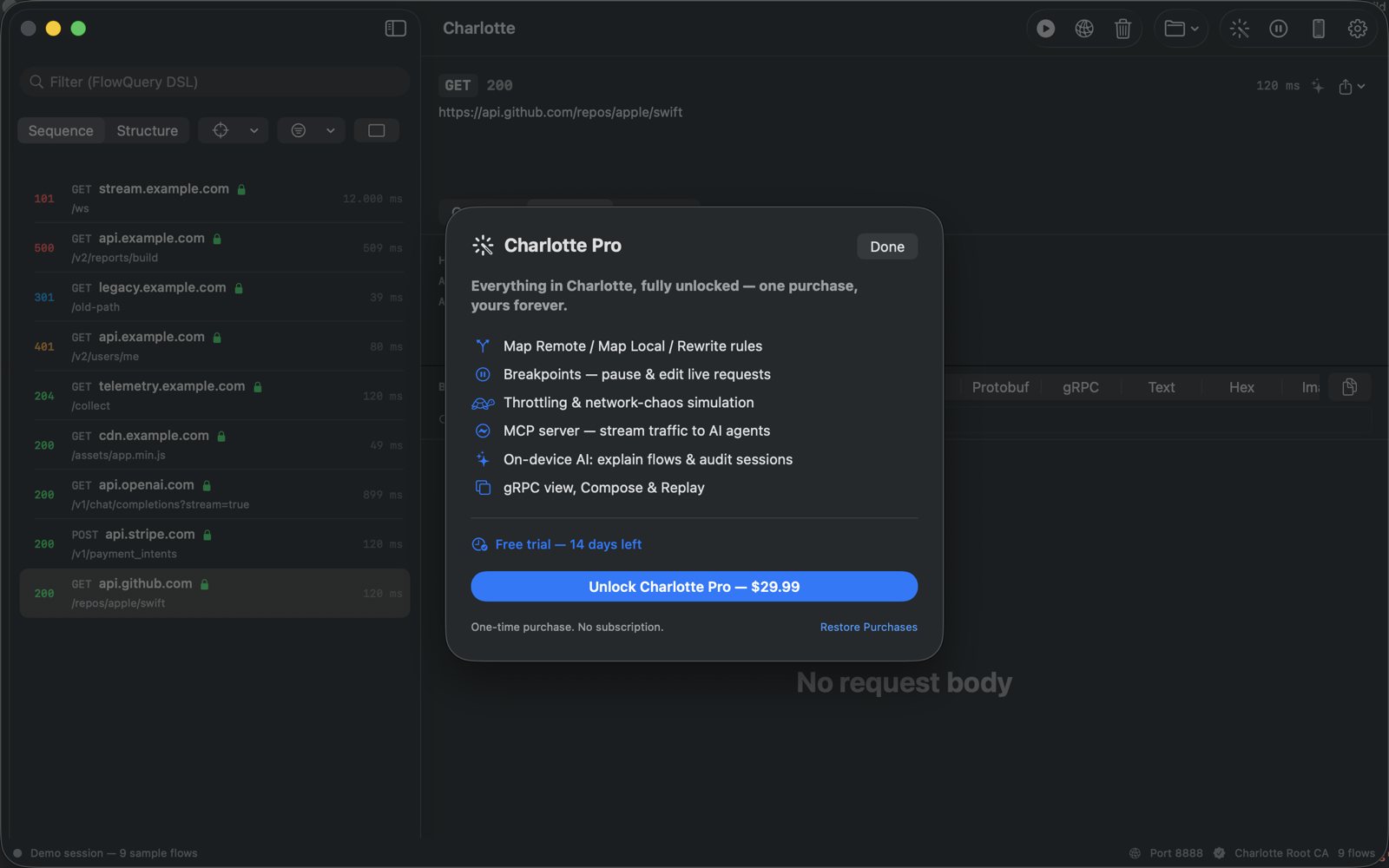
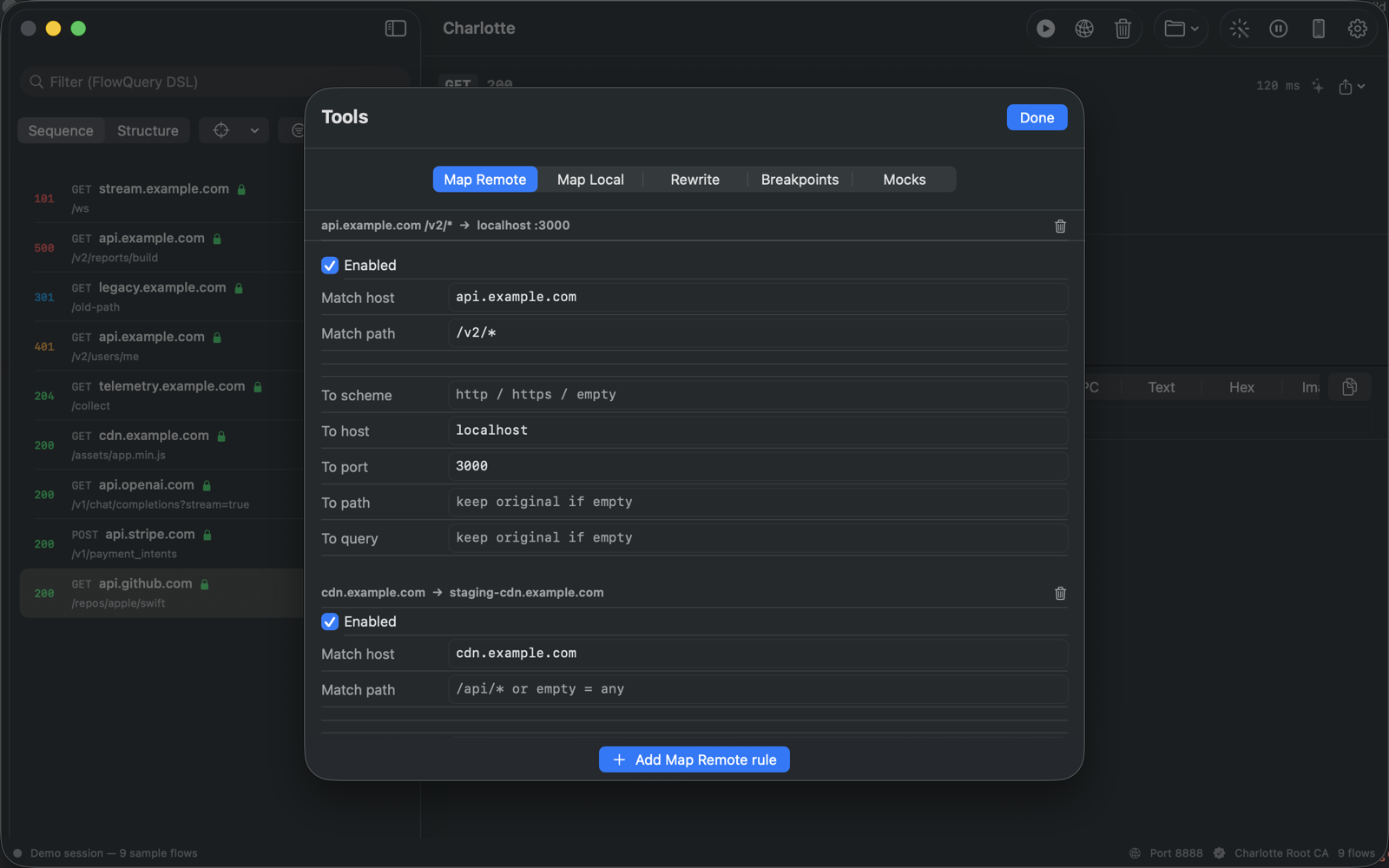
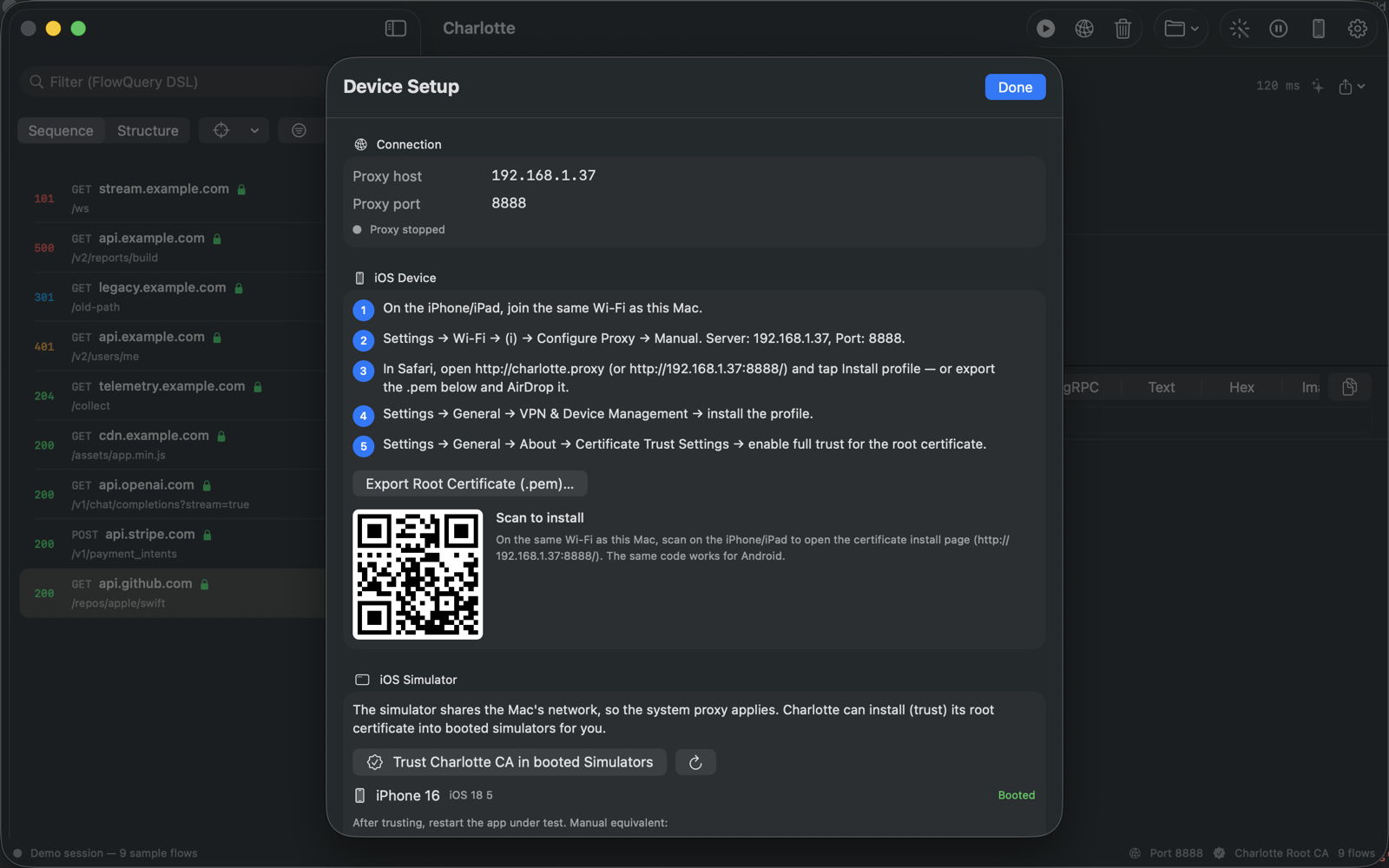
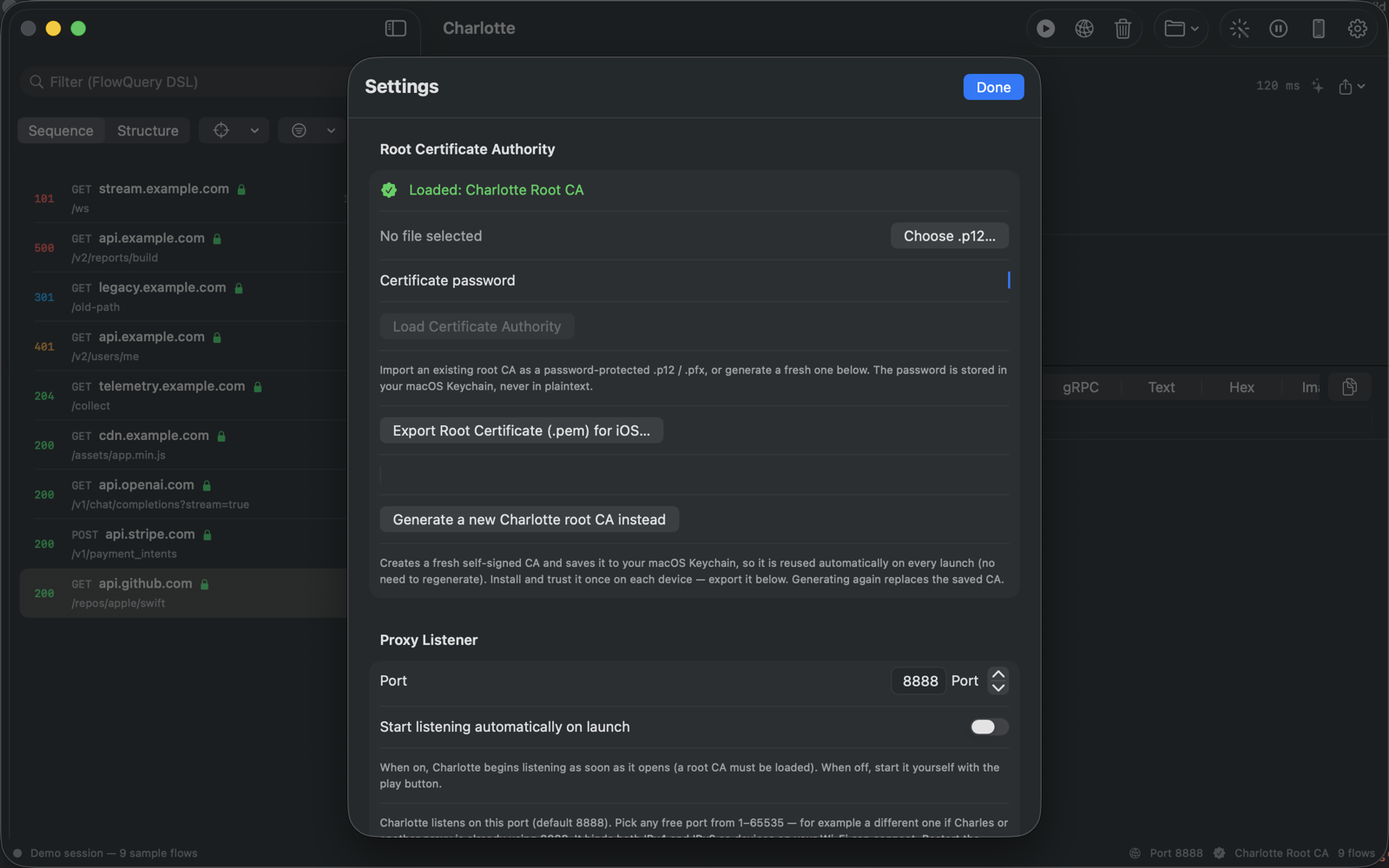
HTTPS can't be read from raw packets — so Charlotte terminates TLS as a proxy.
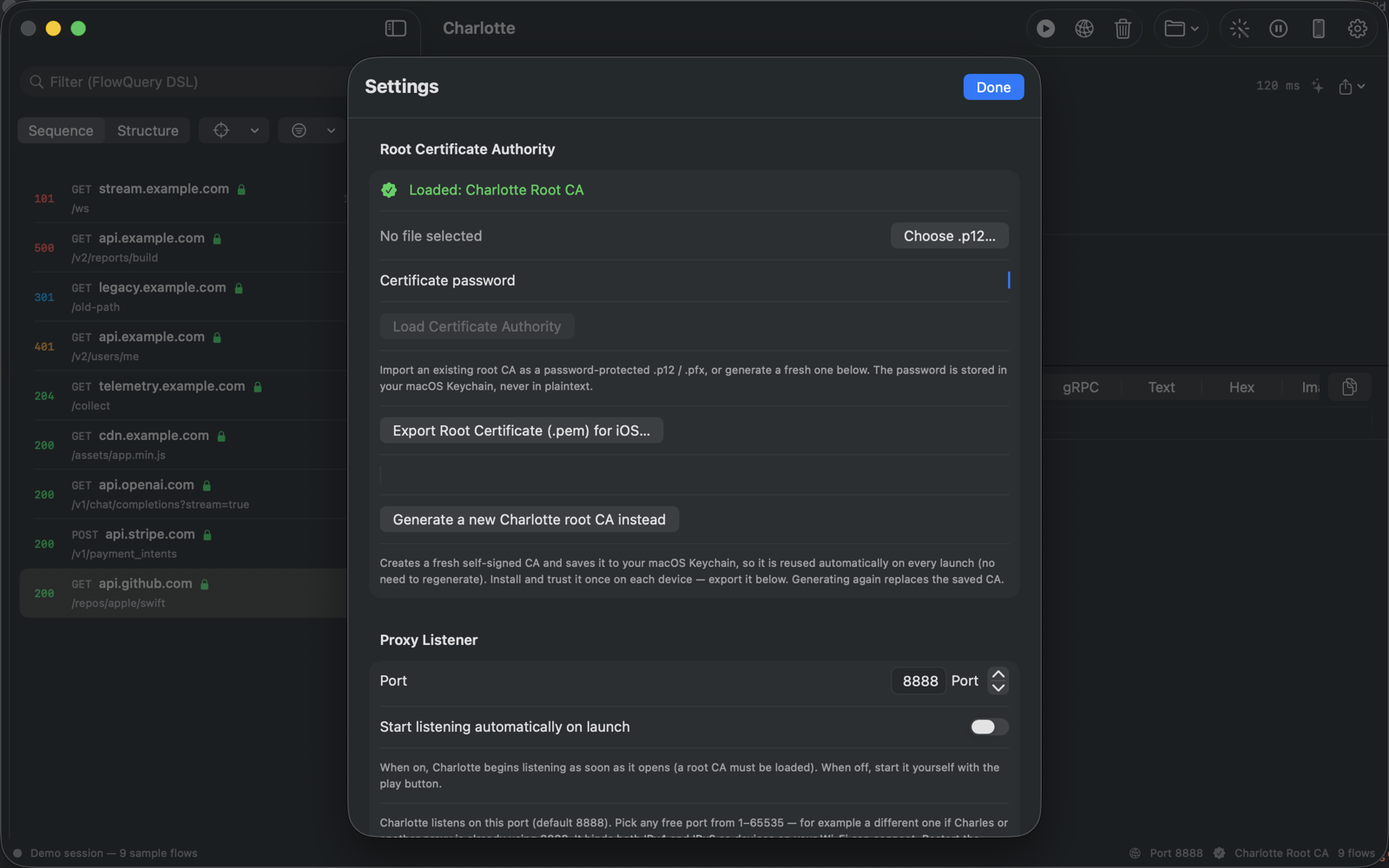
Generate a Charlotte root CA (saved to your Keychain) or import your own as a password-protected .p12.
Follow the Setup Guide: route this computer through Charlotte, or connect the iOS Simulator, an Android emulator, or a real phone.
Select any request to see headers and body. Rewrite, replay, breakpoint, check it against your OpenAPI contract, or hand the session to your AI agent.
A tool that decrypts your traffic owes you a plain account of what it touches.
There is no Charlotte server, no telemetry, no analytics and no account. Captures stay in memory unless you export them yourself, and the AI features run on-device with no cloud fallback. Full privacy policy →
On Windows it saves its root certificate and opens Windows' own certificate window; you run the import, choose the store, and answer Windows' security warning. The app has no code path that writes to a certificate store.
The MCP server is off by default, binds to loopback, and requires an access token you copy from Settings — so no other program on your PC can read your traffic just because the server is running. Passwords, tokens and cookies are hidden from agents by default, and write tools stay off until you enable them.
Outside its own folder Charlotte changes your per-user proxy setting and your trusted root certificates, and only after you ask it to. The proxy is restored every time you quit, and Settings ▸ Before you uninstall puts both back in one click before you remove the app.
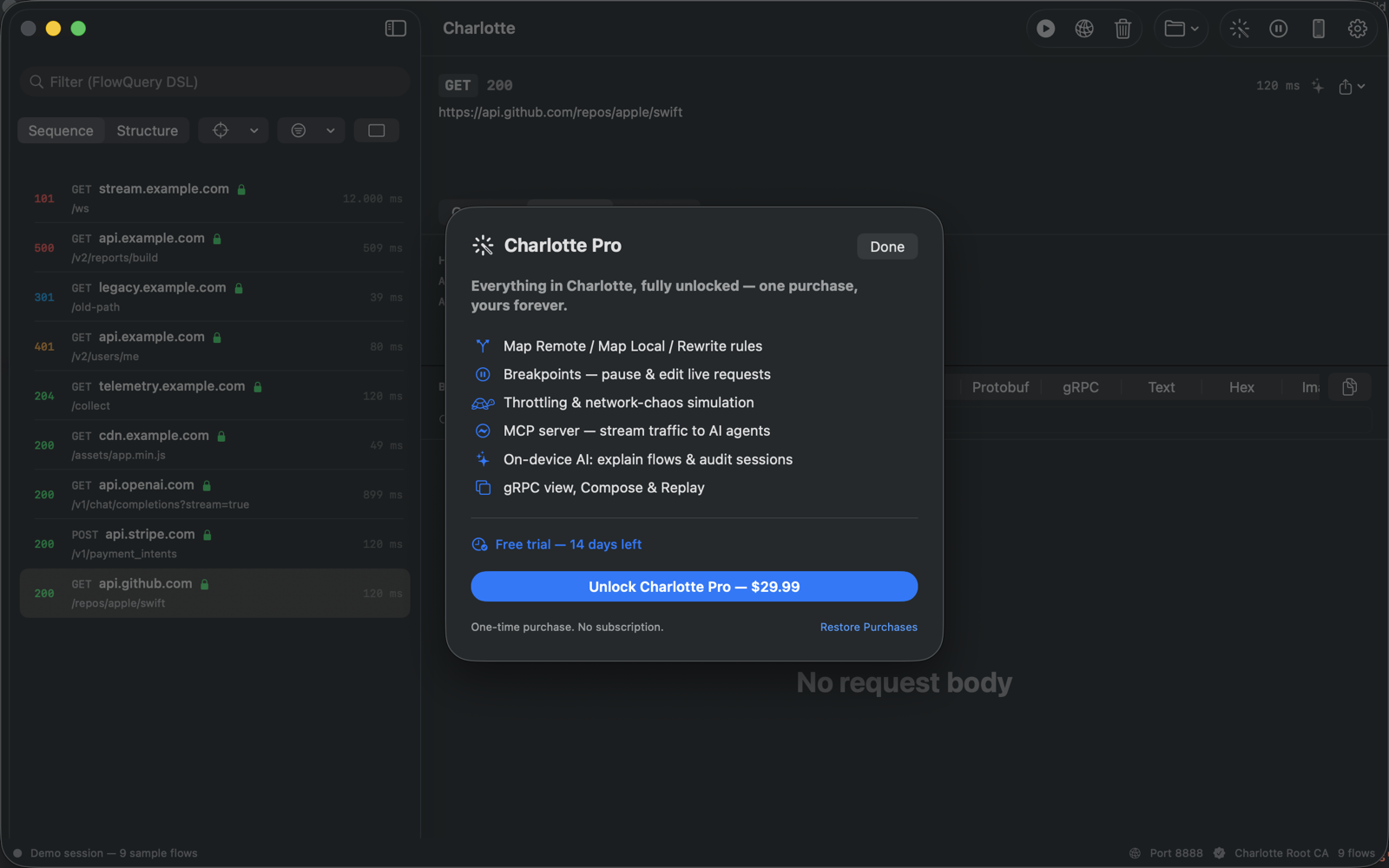
Charlotte is available on the Microsoft Store and Mac App Store, where Charlotte 2.3 for macOS is out now. Free for 14 days with every feature unlocked — no account, no card. Then one payment, owned forever.
Windows terminal install: winget install --id 9PD5RZKFCM19 --source msstore
Built for software developers and QA personnel who need clear, repeatable network debugging.